Shortcodes filter
Last updated: August 17, 2026
Description
The Shortcodes filter is a Moodle plugin that converts simple one-line codes into advanced HTML elements. It allows you to create complex site layouts more easily without requiring coding knowledge. The plugin is required to use Content Parts in the Live Page Builder for Moodle.
Moodle documentation: Filters .
Installation
To install the Shortcodes filter plugin:
- Go to: Site administration > Plugins > Install Plugins.
- Upload the plugin .zip file*.
- Click the "Install plugin from the ZIP file" button.
* Plugin .zip file names:
- filter_mb2shortcodes_YYYYMMDDXX.zip - for Moodle 4.5+
- filter_mb2shortcodes-x.x.x_MOODLE-2.7-4.4.zip - for Moodle 2.7 - 4.4
Moodle documentation: Installing plugins .
Activation
To activate the Shortcodes filter plugin:
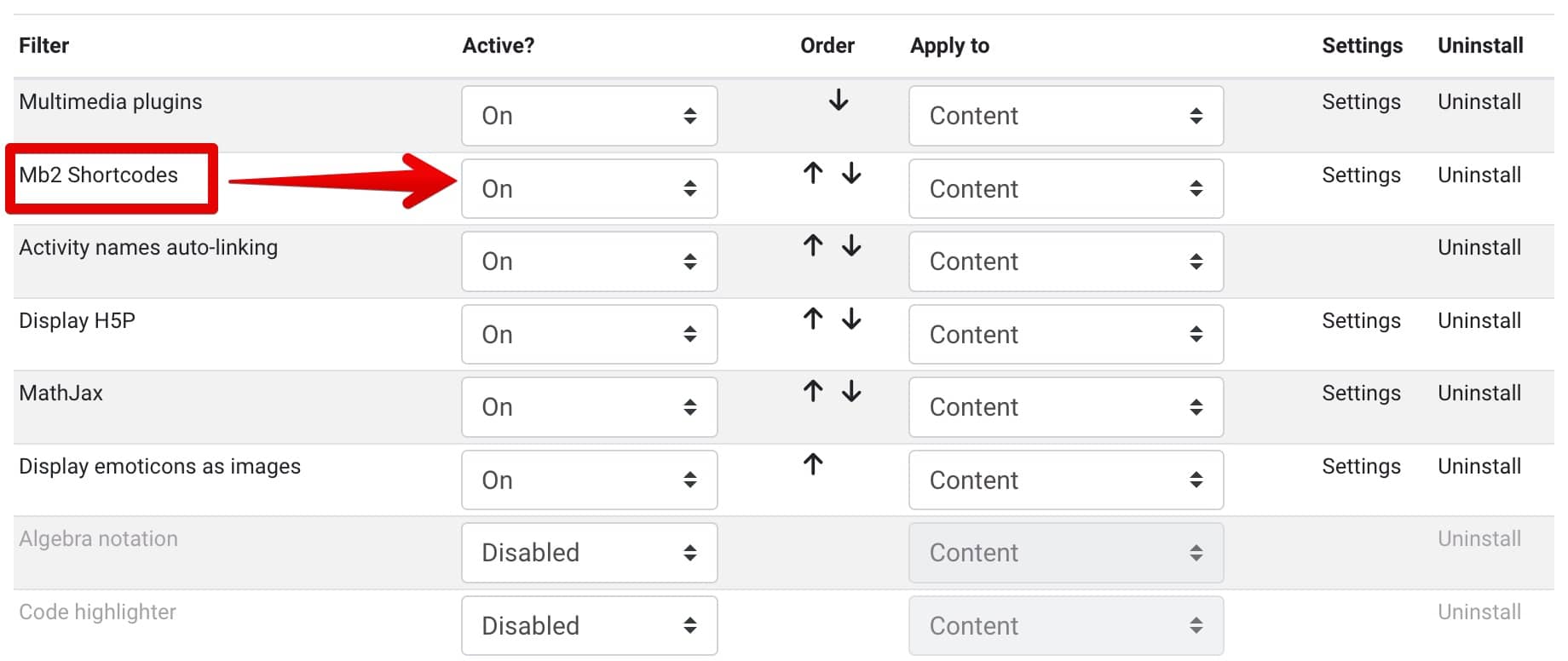
- Go to: Site administration > Plugins > Filters > Manage filters.
- Activate the Mb2 Shortcodes filter.
- To ensure the plugin works properly, move it to the top of the list - but NOT above the Multimedia plugins.